Mainframe101 · Brand Guidelines
A calm control room for learning mainframes.
The single source of truth for how Mainframe101 looks, sounds, and behaves, across the product, the landing page, and email. Serious enough for enterprise training, friendly enough for a first-day beginner.
01 · Foundation
What Mainframe101 is
Mainframe skills are valuable, but the path in is intimidating and operationally painful. Mainframe101 removes that friction with a safe, guided, browser-based simulation of core mainframe workflows.
The promise
Open a URL. Learn mainframe.No installs, no credentials, no infrastructure.
Mission
Feels like
Built for
Personality
Calm
Grounded
Encouraging
Modern
We are
- A safe, simulated IBM Z-style lab
- Beginner-friendly but enterprise-serious
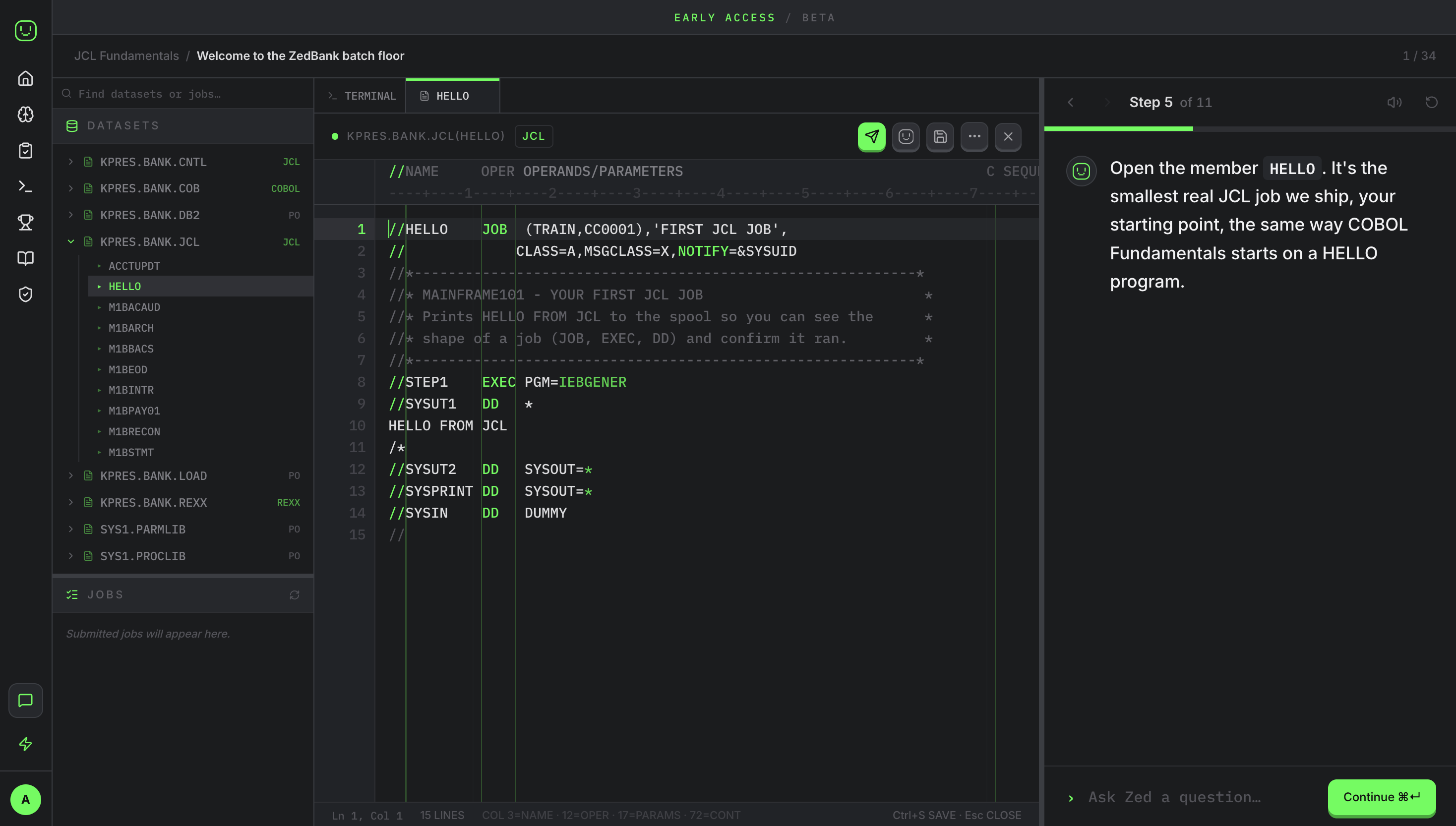
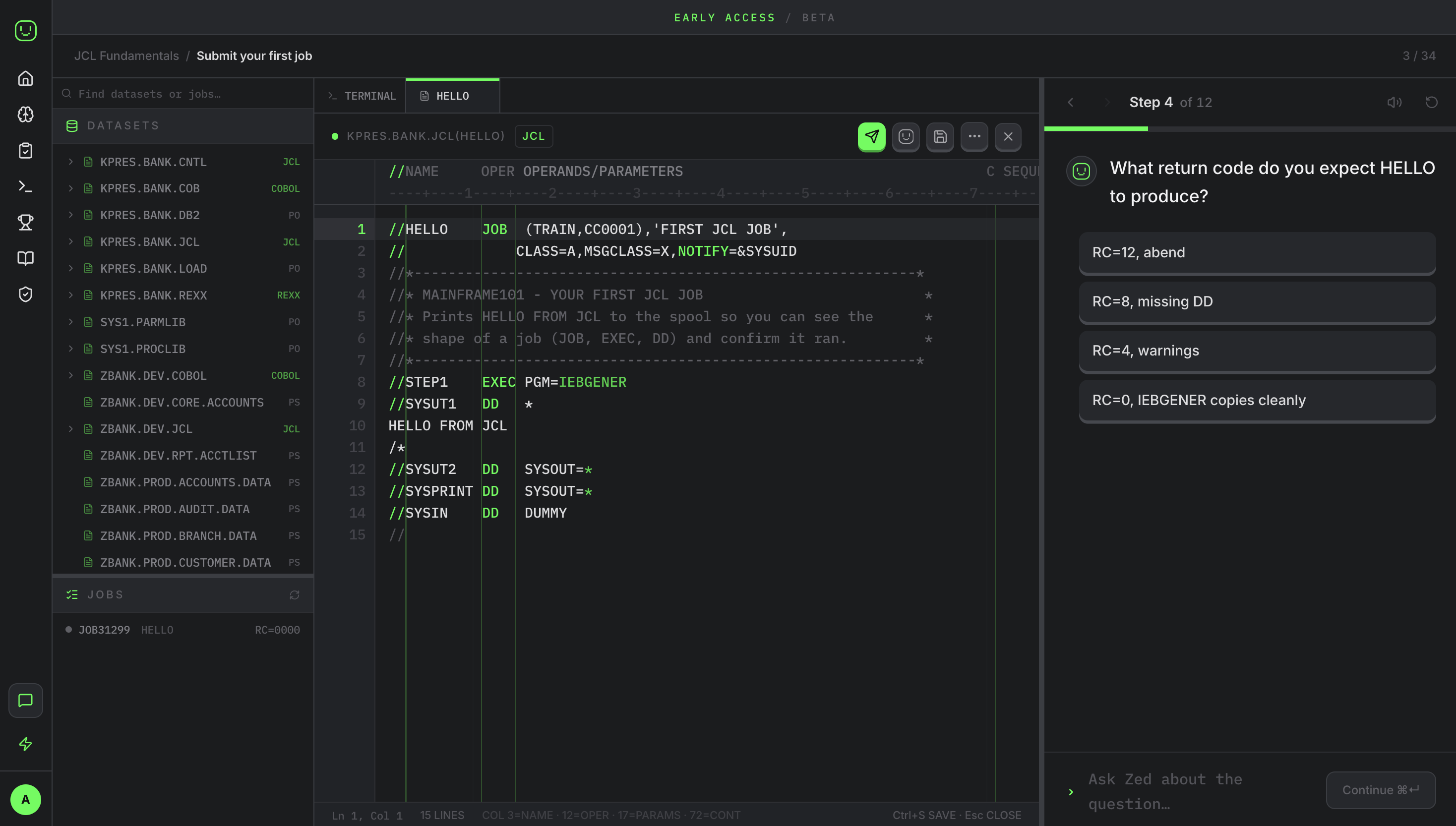
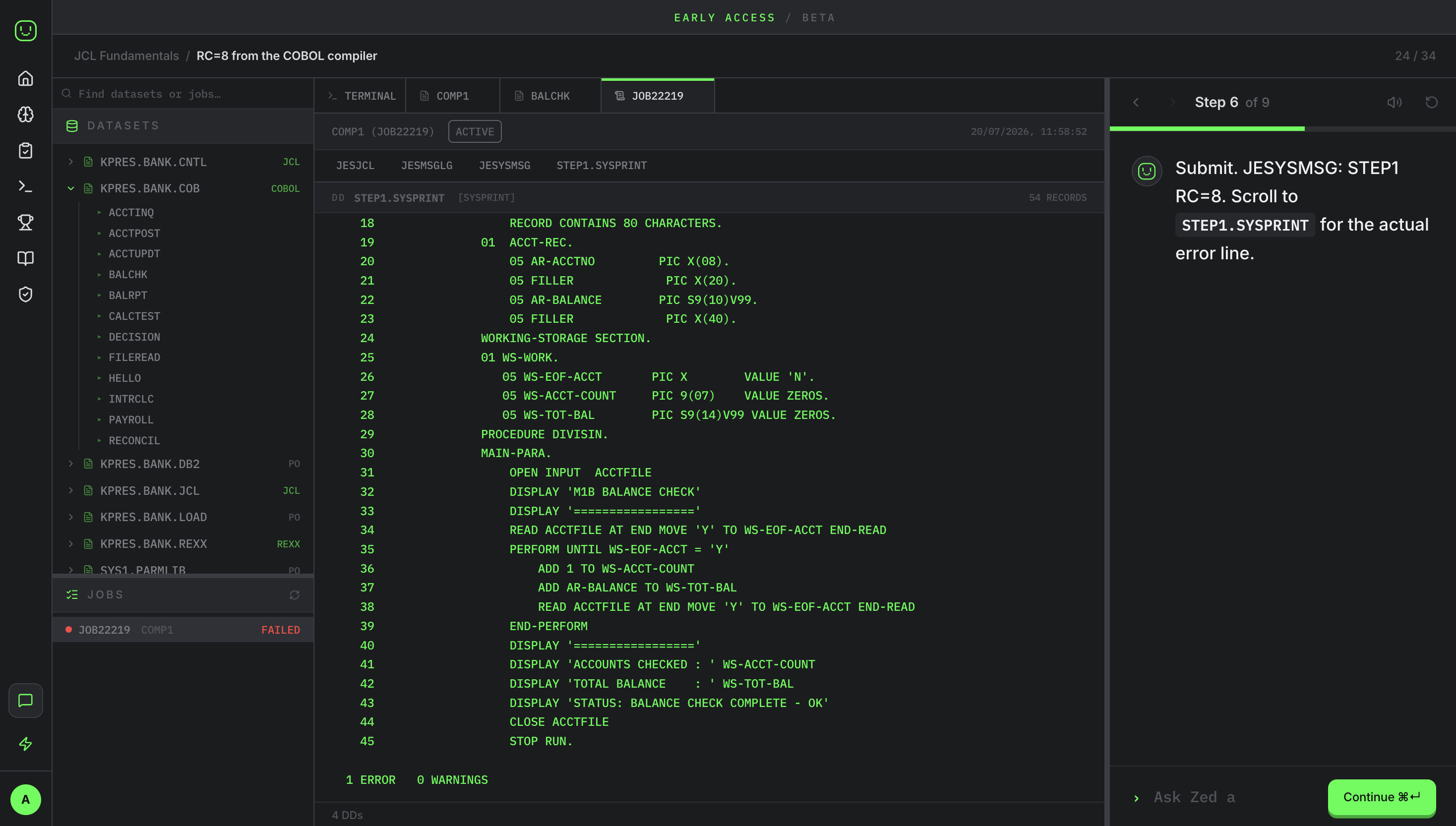
- A guided workbench: explorer, terminal, editor, job output
- Honest about what is simulated vs real
We are not
- A dry enterprise LMS
- A generic edtech course platform
- An IBM clone: no IBM logos, trade dress, or implied endorsement
- A Matrix parody or childish gamified toy
02 · Voice & Tone
How we sound
Most of our voice is Zed, the face of Mainframe101. Zed is a small, friendly character: light, warm, crisp, and lightly robotic. Concise, encouraging, and technically grounded. Never goofy, never childish, never theatrical.
Concise
Why before how
In the world
Do
- "The overnight statement job failed. Let’s inspect the JCL and spool output."
- "Nice, the return code is 0000. That means every step succeeded."
- Explain why a task matters, then how.
- Stay warm and plain. Short sentences, no walls of jargon.
Don't
- Talk down, or bury beginners in acronyms.
- Get theatrical or over-the-top.
- Overstate what the product does, or fake a mainframe interaction.
- Pad it out with hype or empty praise.
03 · Logo & Wordmark
The marks
Three marks, all monochrome. Each is drawn in a single colour so it can adopt the product accent or sit in one flat brand colour. The mark is a rounded terminal screen with a chunky pixel-face, and that face is Zed.
Primary lockup: mark + wordmark. Default for headers and covers.
Wordmark only, for tight horizontal space where the mark is already present.
Live accent
The mark is a single currentColor path, so it tracks whatever accent is set. Green is the default; try the product accents.
Clearspace & sizing
Clearspace
Minimum size
Misuse
Don't place on busy or low-contrast backgrounds.
Don't stretch, squash, or change proportions.
Don't invert the mark into a filled green tile.
04 · Zed, the face of the brand
Meet Zed
Zed is the pixel-face inside the mark and the character who teaches every lesson. Zed greets learners, walks them through the work, and stays beside them the whole way, making a serious simulator feel approachable. Zed reacts, but stays composed: small movements, never slapstick. Click a reaction to preview it.
Zed sounds
- Warm and encouraging, especially right after a mistake.
- Concise. The useful thing, then he stops.
- Clear on why a task matters before the how.
- Calm and grounded, like a colleague at the next desk.
- Plainly spoken, in real words.
Zed never sounds
- Cold or judgemental when someone slips up.
- Long-winded, padded with filler.
- Barking steps with no reason behind them.
- Hyped-up, theatrical, or performative.
- Buried in jargon, or showing off.
05 · Colour
Green, by surface
The brand is monochrome dark with electric green. The button style is universal; the fill follows the surface. On dark (the app) it is the accent #00ff41. On white (email, marketing) it is the deeper #00aa2a, because the accent fails contrast on white. Click any swatch to copy its hex.
Rule of thumb
Accent variants (user-selectable in product)
Learners can re-theme the product accent. Green is the default and the only accent used in marketing.
Neutrals
06 · Typography
Geist, sans & mono
Geist Sans for interface and prose. Geist Mono for anything terminal, code, datasets, or dashboard-dense. The mono is not decorative: it signals "this is a real system surface."
GEIST SANS
Learn mainframe skills
Weights in use: 300 / 400 / 500 / 600 / 700
GEIST MONO
SUBMIT JOB(0001)
Terminal, JCL, datasets, spool, dashboards
Type scale
08 · Motion
Quiet, purposeful motion
Motion confirms an action or guides attention. It is fast and restrained: a control room, not a carousel. These tokens mirror the product.
DURATION
EASING
Accessibility
Contrast
Adjustable weight
Reduced motion
Press kit
Everything a story needs
Copy the boilerplate at whatever length fits, grab the screenshots and logos, and reach out. We're happy to help with details, quotes, or a walkthrough.
New to mainframes? Start here
A mainframe is a big, exceptionally reliable computer that large organisations run their most important work on: the systems behind your bank balance, card payments, tax records, and travel bookings. They have quietly run the world's institutions for decades, and they still do. The catch is that the people who keep them running are retiring faster than new ones are trained, and learning on a real one is expensive and hard to get access to. Mainframe101 lets anyone build those skills safely, in a browser.
Say it in a sentence
Mainframe101 is like a driving simulator for the giant computers that run banks and governments, so people can learn to operate them without touching the real thing.
Plain-English glossary
- Mainframe
- A large, highly reliable computer that runs an organisation's core operations.
- z/OS
- The operating system most mainframes run. Mainframe101 simulates a z/OS-style environment.
- COBOL
- A decades-old programming language still running much of the world's banking and government code.
- JCL
- The instructions that tell a mainframe which jobs to run, and in what order.
- Batch job
- A batch of work the mainframe runs on a schedule, like every overnight bank transaction.
- Terminal
- The text-based, keyboard-driven screen you work through on a mainframe.
Boilerplate & assets
One-liner
Mainframe101 is the beginner-friendly way into mainframe: a safe, browser-based lab where you learn real mainframe skills with a tutor guiding every step.
Short
Mainframe101 is a browser-based way to learn mainframe skills. It runs a safe, simulated z/OS-style lab with a built-in tutor, Zed, so beginners can practise real terminal workflows, JCL, COBOL and more without any setup or risk. It's currently in private beta.
Full
Mainframe101 makes mainframe skills learnable. It runs a safe, simulated z/OS-style environment entirely in the browser (no installs, no VPNs, no infrastructure) so students, apprentices, and career-changers can practise real terminal workflows, JCL, COBOL, DB2, CICS, RACF and REXX. Zed, the built-in tutor, explains what the system is doing and why it matters, every step of the way. Mainframe101 is currently in private beta.
Fast facts
- What it is
- A browser-based mainframe learning platform.
- Who it's for
- Beginners, students, apprentices, and training teams.
- How it works
- A safe, simulated z/OS-style lab with a built-in tutor, Zed.
- Status
- Private beta.
Product screenshots
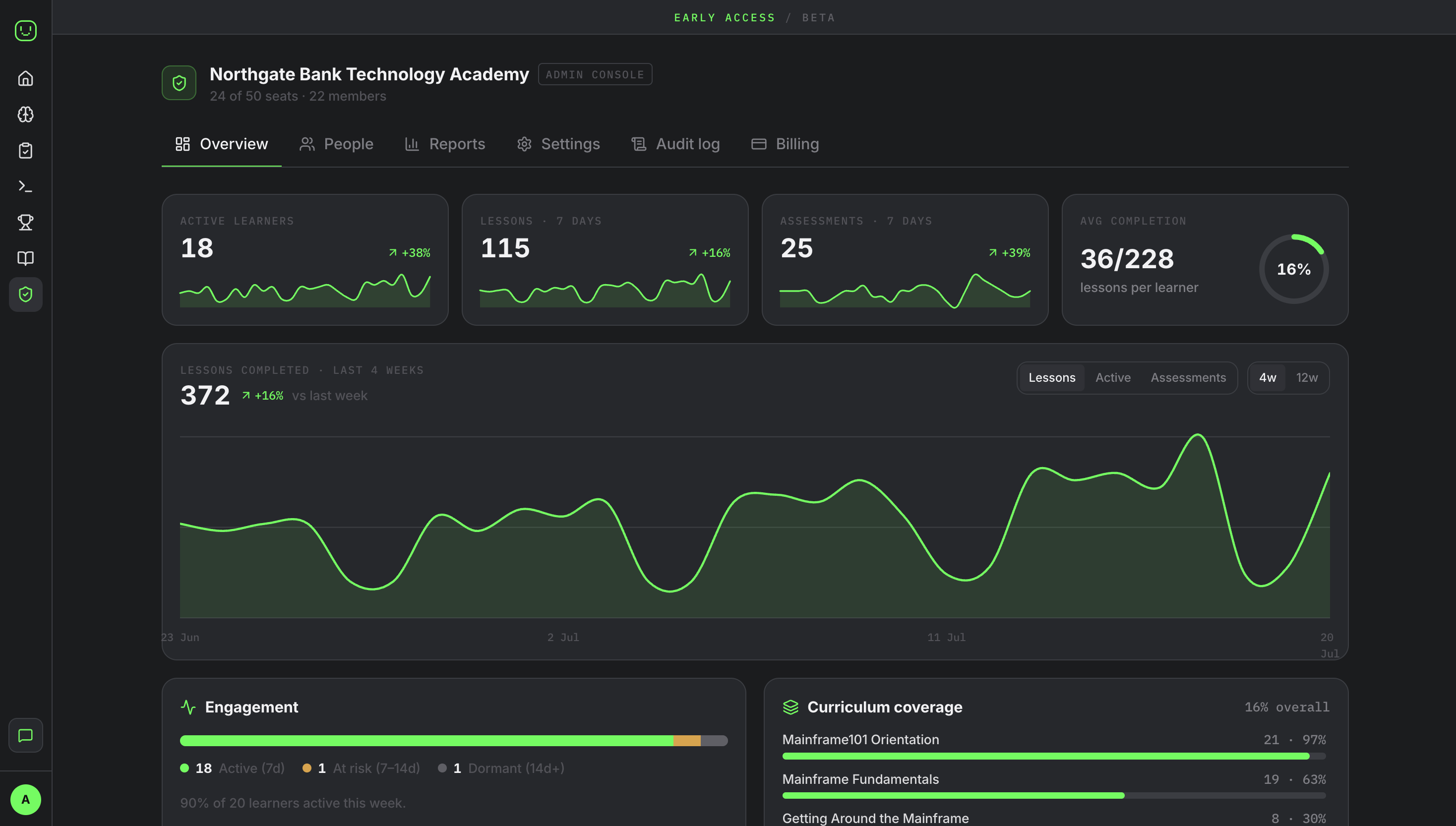
Real, full dashboards. Click to download.